Products / Tradie Pricing & Profit System
Tradie Pricing & Profit System
Know your job profit before you send the quote. A workbook for Excel and Google Sheets, made for Australian sole traders and small trade crews.
A$39 one-off, digital download
Coming soon, A$39Ever sent a quote and wondered if the job actually made money? This workbook shows the profit and margin on a job before you send the quote, then shows what each finished job really made.
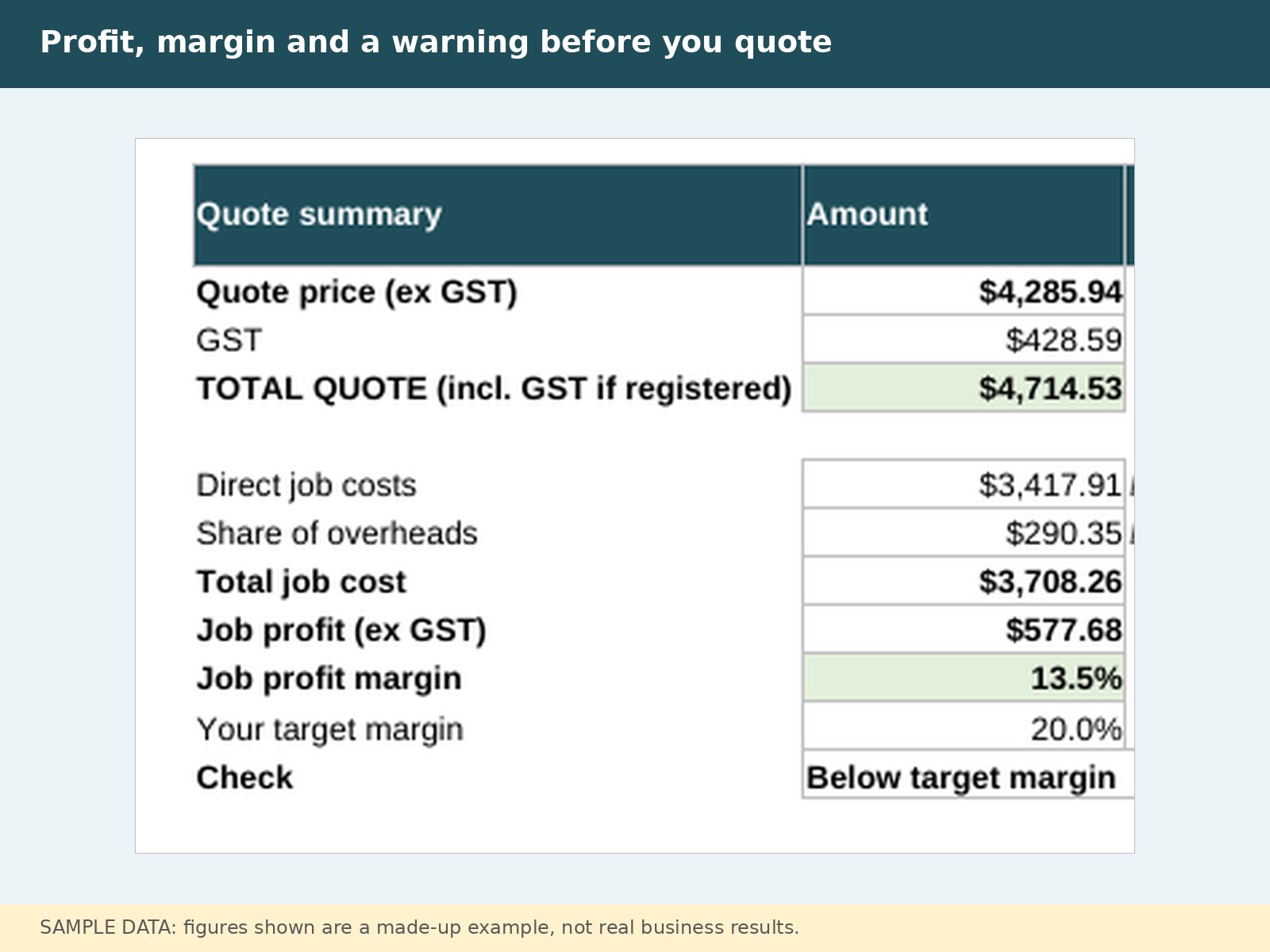
Most free calculators stop at an hourly rate. This one goes further.
- Quote Builder. Price labour, materials with markup, subcontractors, hire and travel. See the job's profit and margin before you quote, with a warning if it falls below your target.
- Estimate vs Actual. After each job, compare quoted hours and costs with the real ones. See which jobs made money and which didn't.
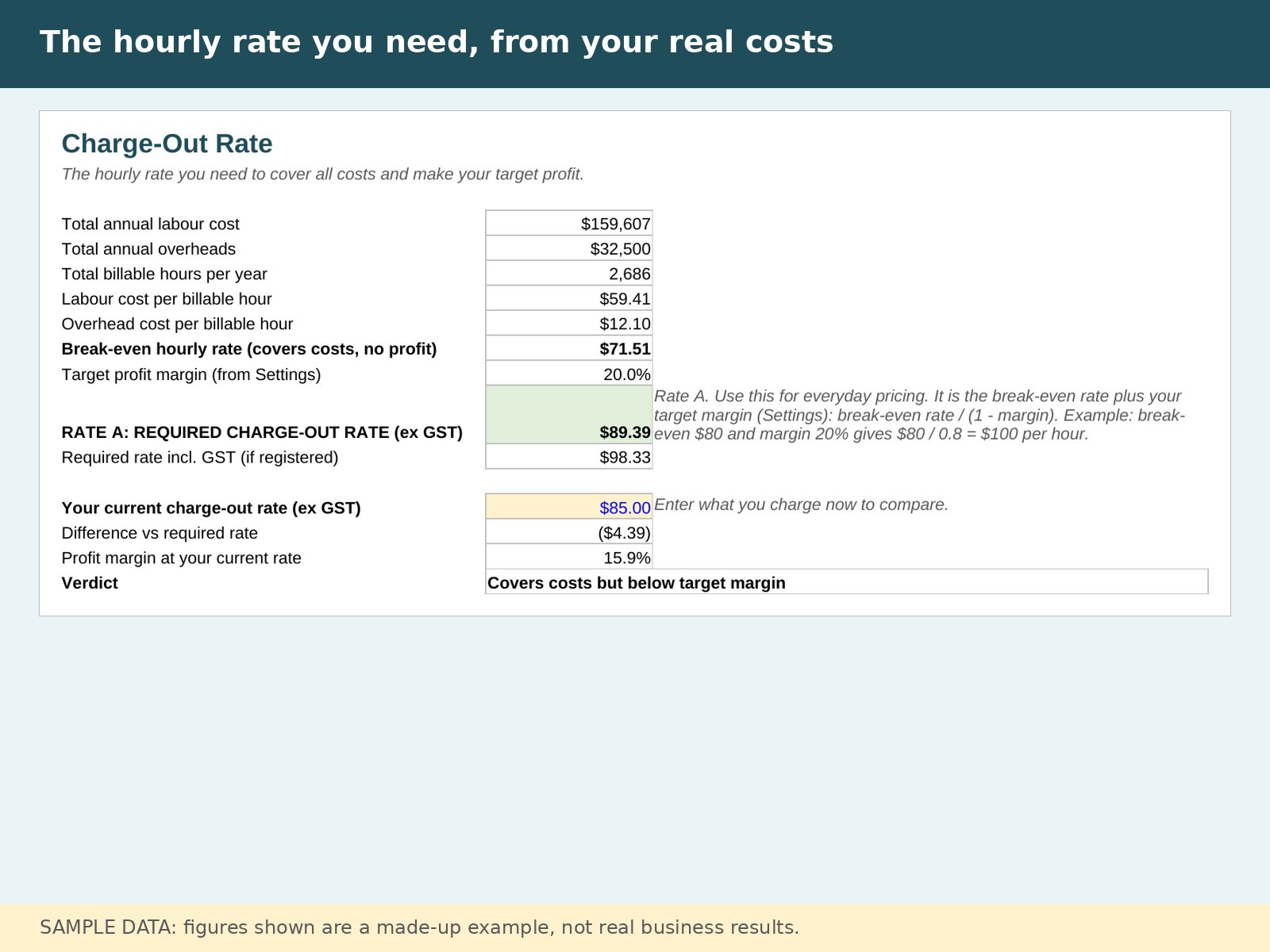
- Charge-out rate. Enter your real overheads, wages, super, leave and non-billable time. Get your break-even rate and the rate you need for your target margin, and see if your current rate is too low.
- Break-even. How many billable hours a month you need to cover costs, and the rate needed for a yearly profit goal.
- Dashboard. Plain-English verdicts, so you can see where you stand at a glance.
See inside
All screenshots show a made-up example business, not real results.
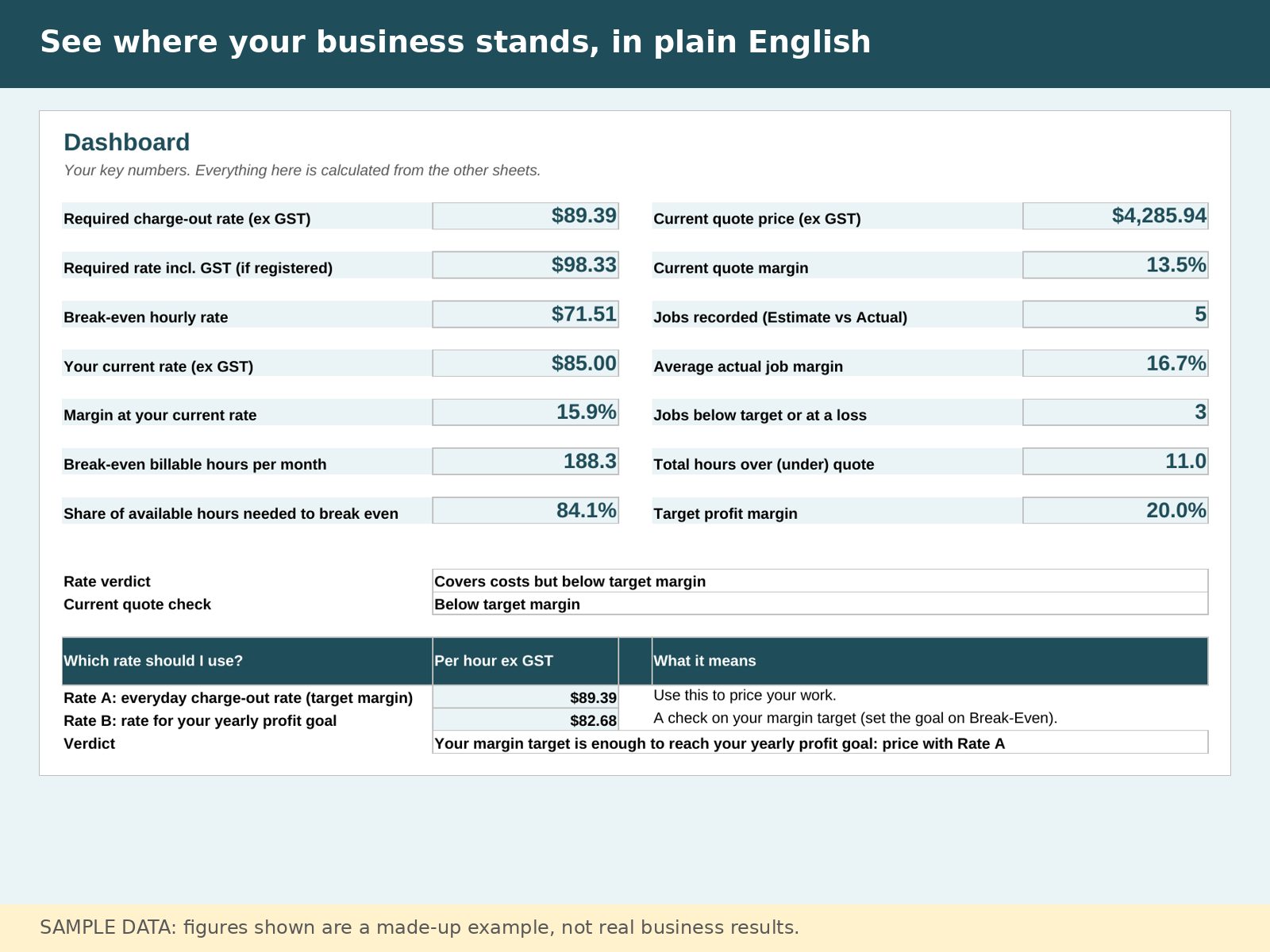
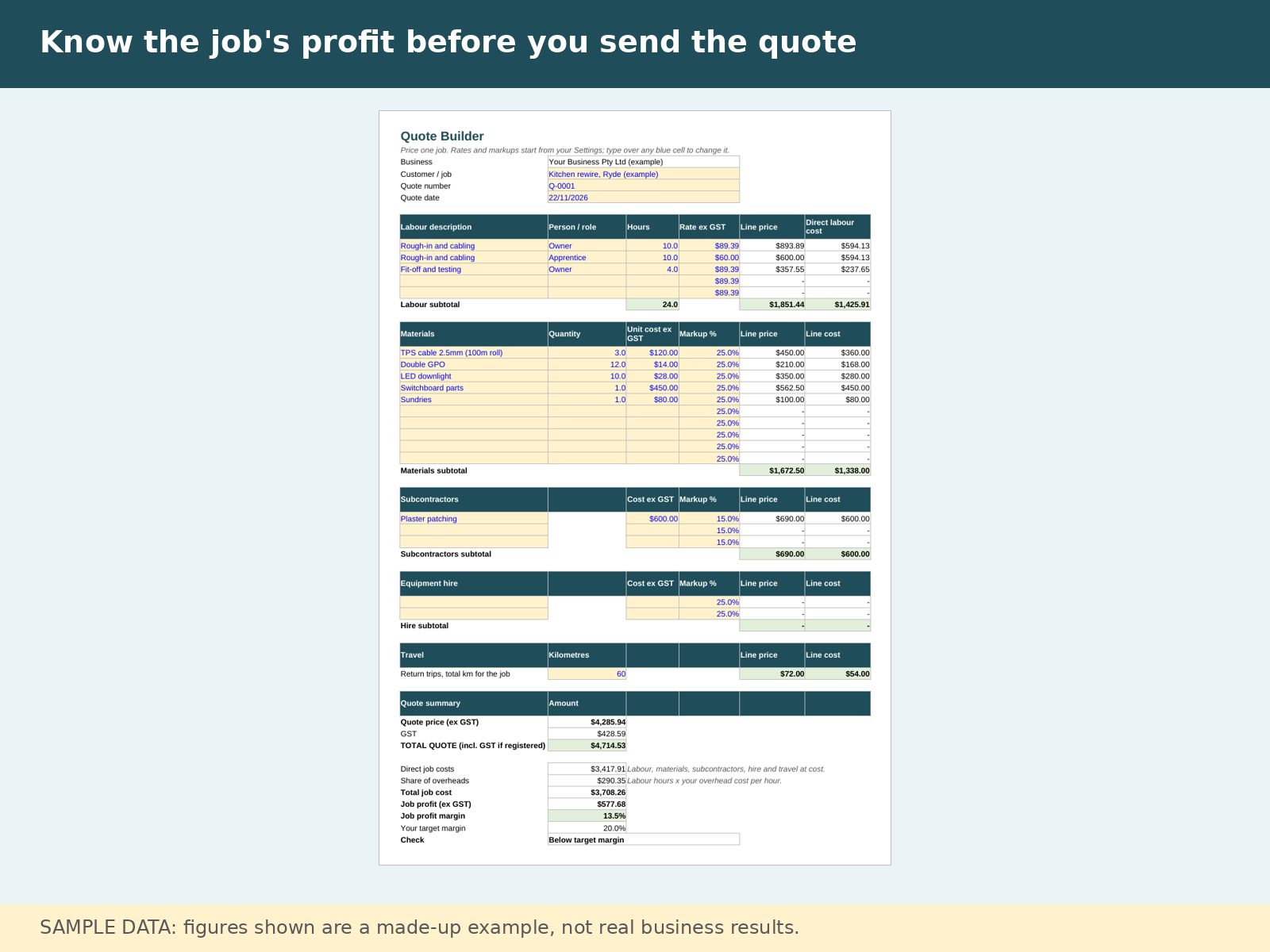
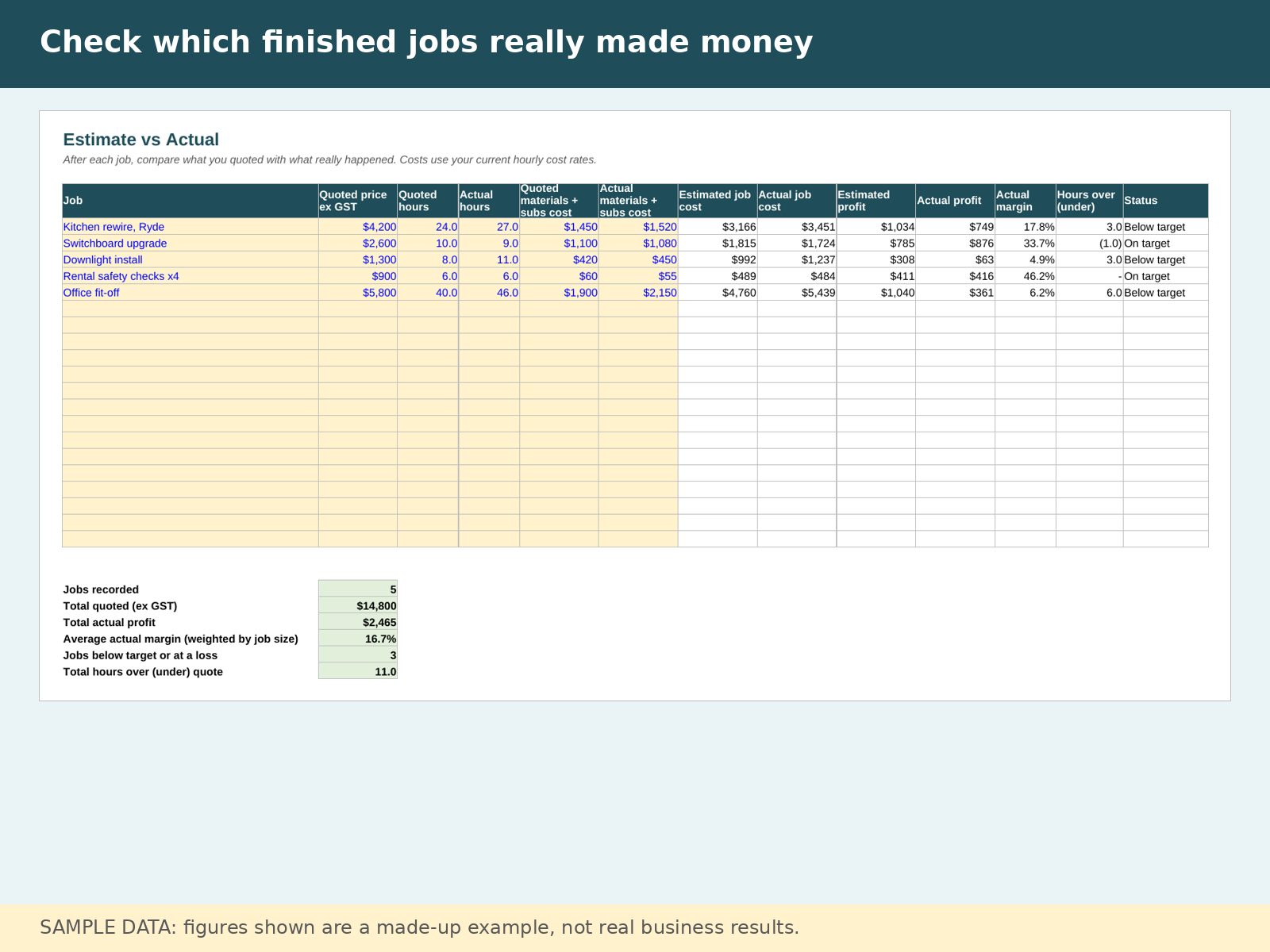
What's included
- Two .xlsx files: a worked example (sample electrician data) and a blank template
- Quote Builder with profit, margin and low-margin warning
- Estimate vs Actual job tracker
- Charge-out rate and break-even calculators
- Dashboard with plain-English verdicts
- Start Here guide and input checks that stop impossible entries
- GST on/off switch
- Email help: support@davenab.com (reply within 2 business days)
Who it's for
- Australian sole traders and small crews: electricians, plumbers, carpenters, HVAC techs, landscapers
- Anyone who wants to check a quote's profit before sending it
Who it's not for
- Anyone after invoicing, bookkeeping, BAS or payroll software
- Anyone looking for financial, tax or accounting advice
- Apple Numbers users (not tested)
Questions
What do I need to open it?
Microsoft Excel 2016 or newer (including Microsoft 365), or Google Sheets. It has not been tested in Apple Numbers.
How do I use it in Google Sheets?
Upload the file to your Google Drive, then open it with Google Sheets.
Will it do my invoices, BAS or books?
No. It helps you price jobs and check profit. It is not invoicing, bookkeeping, BAS or payroll software.
Is this financial, tax or accounting advice?
No. It is a planning tool. Results come from the figures you enter, so they are only as good as your numbers. Talk to your accountant for advice.
Can I use it if I'm not registered for GST?
Yes. GST can be switched on or off in Settings.
What if I change my mind, or the file has a problem?
Downloads are not refundable for a change of mind. If a file is faulty or not as described, we will fix it, replace it or refund you under Australian Consumer Law. Email support@davenab.com and we will reply within 2 business days.